
QR ordering at the tableTable ordering.With one scan.
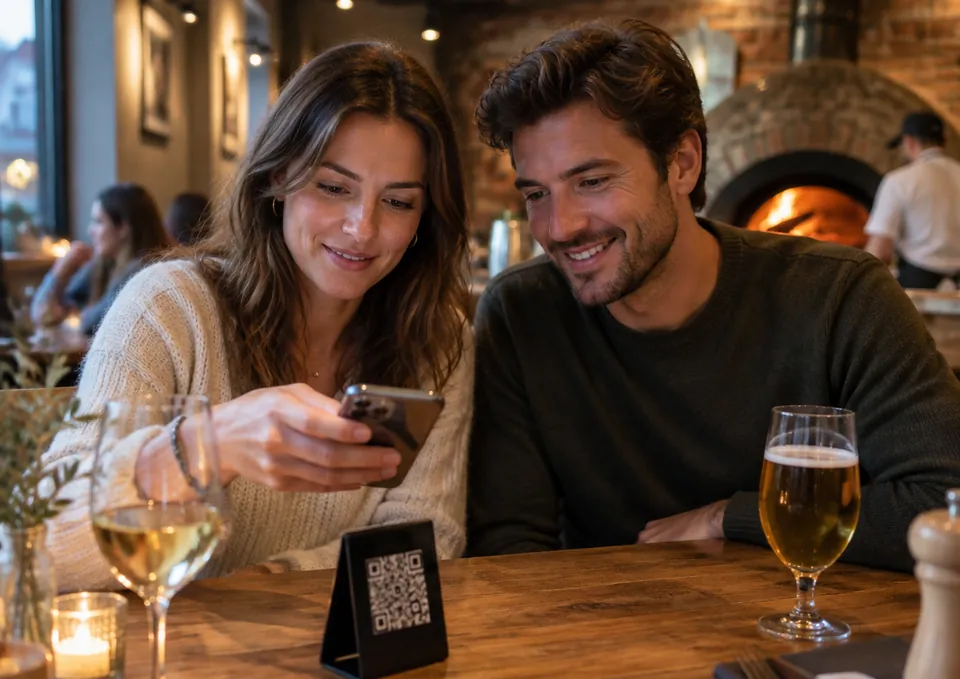
Every table has its own QR code. Your guest scans it with their phone, picks from your menu and sends the order. It goes straight onto the table’s bill in your till and the kitchen gets a ticket.
- No app or account for your guest
- Payment stays at the till, as always
- Included in your subscription at no extra cost
Order at the table
Table 4
Pick your dishes and send your order: it goes straight to the kitchen. You pay with our staff.
Ordered at this table
1 round · so far
Pizzas
4Desserts
1Drinks
1Your order
Table 4
- € 25,00
Margherita
2 - € 16,00
Diavola
+ Extra mozzarella
“well done”
1
Your name (optional)
You pay with our staff.
Send orderTable 4: new order via QR · round 2 · € 41,00
Kitchen ticket Table 4 · round 2 printed automatically
Scan, choose,send.
Your guest only needs their phone. They see your own menu, in the style and colours of your ordering site, at the same prices as your till.
- 19:24nlfrenPizzeria NapoliTable 4 · Order at the table
Order at the table
Table 4
Pick your dishes and send your order: it goes straight to the kitchen. You pay with our staff.
€ 5,60Ordered at this table
1 round · so far
Search for a dish…AllPizzasDessertsDrinksPizzas
4MargheritaTomato, mozzarella, basil€ 12,502DiavolaSpicy salami, chilli, mozzarella€ 14,50Quattro FormaggiFour cheeses, fresh cream€ 13,50CalzoneHam, mushrooms, mozzarella, ricotta€ 15,00Desserts
1TiramisuHomemade, mascarpone€ 6,00Drinks
1Coca-Cola 33cl€ 2,8033 items · Order€ 41,003 itemsYour order
Table 4
- € 25,00
Margherita
2 - € 16,00
Diavola
+ Extra mozzarella
“well done”
1
Your name (optional)
SarahTotal€ 41,00You pay with our staff.
Send order01Scan and choose
Your guest points their phone’s camera at the QR code and your menu opens straight away, with no app or account. They choose their dishes, with extras and a note for the kitchen.
- 19:24nlfrenPizzeria NapoliTable 4 · Order at the table
Order at the table
Table 4
Pick your dishes and send your order: it goes straight to the kitchen. You pay with our staff.
€ 5,60Ordered at this table
1 round · so far
Search for a dish…AllPizzasDessertsDrinksPizzas
4MargheritaTomato, mozzarella, basil€ 12,502DiavolaSpicy salami, chilli, mozzarella€ 14,50Quattro FormaggiFour cheeses, fresh cream€ 13,50CalzoneHam, mushrooms, mozzarella, ricotta€ 15,00Desserts
1TiramisuHomemade, mascarpone€ 6,00Drinks
1Coca-Cola 33cl€ 2,8033 items · Order€ 41,003 itemsYour order
Table 4
- € 25,00
Margherita
2 - € 16,00
Diavola
+ Extra mozzarella
“well done”
1
Your name (optional)
SarahTotal€ 41,00You pay with our staff.
Send order02Send
In the basket, they tap Send order. Adding a name is optional. They pay later at the till.
- 19:24nlfrenPizzeria NapoliTable 4 · Order at the table
Sent to the kitchen
Table 4 · round 2
You pay with our staff.
Order something else€ 46,60Ordered at this table
2 rounds · so far
Round 1 · 19:02€ 5,60- 2×Coca-Cola 33cl
Round 2 · 19:24€ 41,00- 2×Margherita
- 1×Diavola + Extra mozzarella · well done
You pay with our staff.
03Order more
Fancy a dessert or another drink? Order something else adds a new round to the same bill. They also see what the table has already ordered.
Every round goes straightonto the table’s bill.
Your staff get a notification with a sound, the kitchen ticket prints by itself and the round goes on the table’s open bill. Just as if your waiter had keyed it in.
Add items or settle the bill
Table 4: new order via QR · round 2 · € 41,00
Kitchen ticket Table 4 · round 2 printed automatically
KITCHEN TICKET
QR TABLETable 4
Round 2 · extra order · QR
Sarah
Ordered 19:24
DISHES
+ Extra mozzarella
well done
9/10/2026 19:24
A notification with a sound
Your till shows the new round, with the table, the round number and the amount.
The kitchen ticket prints by itself
With the table, the round, the time and your guest’s name, without prices. If the print agent is offline, you get a notification with a Print kitchen ticket button.
One bill per table
Every round goes on the table’s open bill, with a QR label. Your staff add their own rounds with Save.
Paying at the till
At the end, the table settles up at the till: cash, Bancontact, card or Payconiq, split if they like.
A QR codefor every table.
In POS > Tables you switch QR ordering on and print every code in one go. Each table gets its own card.
On or off
Switch QR ordering on for the whole restaurant, and on or off per table.
Print them all at once
One A6 card per table in your own colour, with your logo, the table’s name and Scan to order.
Or as PNG or SVG
Download a table’s code for your own table stand or sticker.
New code
Lost a card? Make a new code for that table and the old one stops working.
- The same menu and prices as your till, Promotions included
- The style, colour and languages of your ordering site
Pizzeria Napoli
Table 3
Scan to order
Your order goes straight to the kitchen. You pay with our staff.
pizzerianapoli.be
Pizzeria Napoli
Table 4
Scan to order
Your order goes straight to the kitchen. You pay with our staff.
pizzerianapoli.be
Pizzeria Napoli
Table 5
Scan to order
Your order goes straight to the kitchen. You pay with our staff.
pizzerianapoli.be
Questions about table ordering
Don’t see your question? Feel free to call us. You’ll go straight through to someone who knows the hospitality trade.
How does QR code table ordering work?
Does my guest need to download an app or create an account?
How does my guest pay?
Does the order go straight to the kitchen?
Can guests order more later on?
Do my guests see the same menu and prices?
How do I make the QR codes for my tables?
Can I switch QR ordering off for a while?
What if my guest taps twice or briefly loses signal?
Does table ordering cost extra?
Made for your business.
Pizzeria, sushi, chip shop, snack bar, pitta or kebab: Levrio is built for takeaway and delivery restaurants in Belgium and the Netherlands.
Ready to winyour customers back?
Tell us a little about your restaurant. We’ll show you Levrio as it would run in your pizzeria, sushi bar, chip shop or kebab shop.
- Tailored to your restaurant: till, ordering site, kitchen and delivery
- At your restaurant or at our office in Aalst
- If you choose Levrio, we set up your menu, your domain and the platform connection